




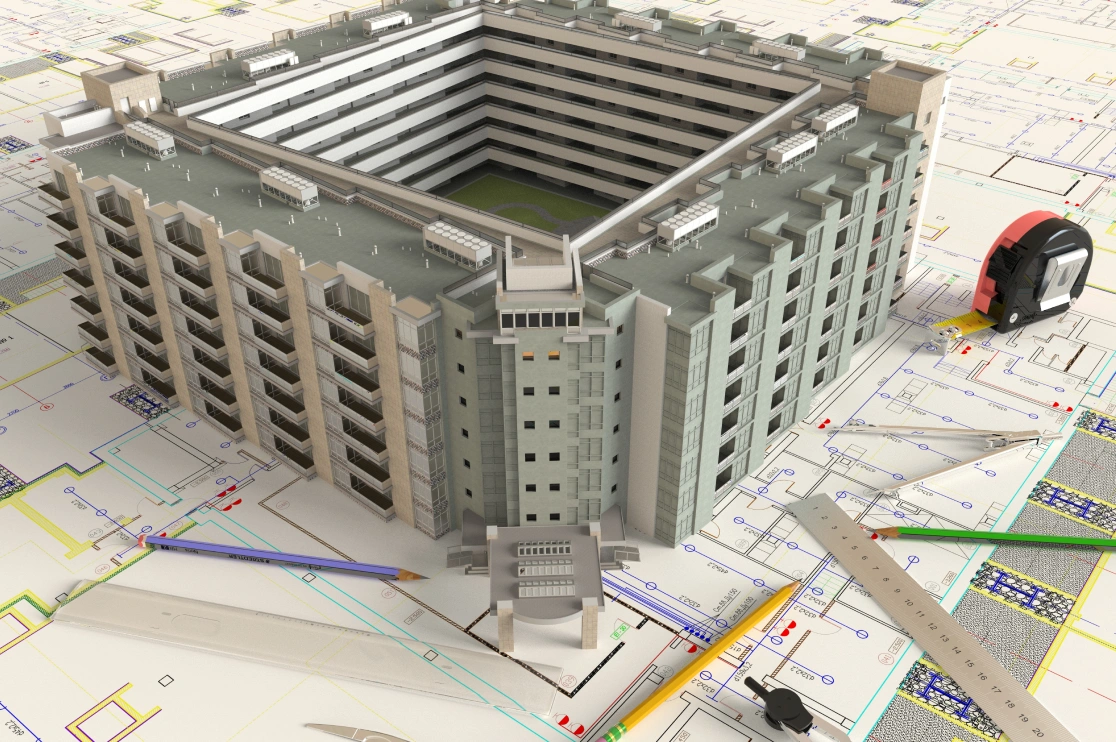
As a facility manager or building owner, you just inaugurated the building and the whole construction team is now gone. Now it’s just you with a pile of binders, some drawings and a few USB drives. It is now your stress and strategic to keep this building running smoothly for the next 30 to 50 years.
Here’s the problem: 95% of construction data never gets used after opening day. All that digital information built during design? Wasted. It rarely survives to help the people who need it most: you and your team.
BIM for facility management fixes this. It takes your 3D model and turns it into a living tool you use every day. No more digging through binders. No starting from scratch. You get an asset information model ready to plug right into your work.
In this blog, we’ll cover why data gets lost, how to make BIM-enabled FM work, and why a smooth facility management BIM handover saves time and money.
Table of Contents:
The Great Data Drop: Why Handovers Fail
Imagine getting a hold of a a house with no manual for the HVAC, no idea where the water shut-off is and a pile of mismatched warranty cards. That’s a typical building handover.
The problem isn’t a lack of data; it’s that the data isn’t usable. Here’s why:
-
Wrong incentives:Construction teams are rewarded for speed and budget, not for creating data that helps future operators.
-
Info overload:Handovers are often just thousands of messy PDFs and spreadsheets, forcing staff to spend hours digging for basic equipment info.
-
Inconsistent details:What’s in the digital model often doesn’t match what was built. Serial numbers, warranties, or maintenance schedules are often missing or wrong.
The result?
Nearly half of maintenance spending is wasted and operations teams are left to clean up the mess.
Building a Bridge: Frameworks for BIM-Enabled FM
So, how do we fix this?
We need a structured approach which is precisely a framework that ensures data flows smoothly from construction to operations. This is where standards and planning come into play.
A successful BIM-enabled FM strategy starts long before the building is finished. It begins with asking the right questions: What does the facilities team actually need to know?
This structured approach to information management follows the framework of ISO 19650, the international BIM standard. Under this benchmark, three key documents help connect what an organization needs with what actually gets built:
-
Organizational Information Requirements (OIR): What does the organization need to know to run well? Things like energy usage trends, how space is being used, or long-term costs. The OIR sets the direction for everything else.
-
Asset Information Requirements (AIR): This takes the OIR and turns it into specific data for each asset. For a chiller, for example: model number, install date, maintenance history, and when the warranty ends. The AIR tells you what data you need to keep track of over the life of the asset.
-
Exchange Information Requirements (EIR): This is the contract for the construction team. It spells out exactly what information they need to deliver in the model at handover-what data, how it’s organized, and how detailed it should be. The EIR makes sure what gets delivered matches the AIR and the OIR.
If you define these requirements early-ideally by the time the design is 30% done-everyone stays on the same page. You are not just handing over a building. You are handing over one entire project that’s actually ready to run, full of useful data, and set up to meet long-term goals.
Recommended Reading:
Capturing the Right Data: From Laser Scans to COBie
Once you have a framework, you need the tools and techniques to capture and structure the data. This is where the technical work meets practical application.
COBie Data Exchange
COBie is a standard format that pulls key asset data from your BIM model like equipment lists, locations, serial numbers and warranties into a simple spreadsheet. It’s the instruction manual your facility team can actually use, ready to plug straight into your maintenance system (CMMS).
Data Capture Techniques for Existing Buildings
What about buildings that are already standing?
Don’t worry. You can still fix that data. Here’s how:
-
Scan to BIM: Laser scans create an accurate 3D model of your building as it actually is today.
-
Legacy Document Conversion: Turn old PDFs and paper drawings into intelligent, usable digital models.
-
Asset Data Enrichment: Add maintenance schedules, manuals and spare parts to your model which makes it a single source of truth.
The Future is Now: Moving Towards a Digital Twin for Facility Management
When you combine an accurate 3D model with real-time data, you get a digital twin facility management tool. A digital twin isn’t just a static model; it’s a living representation of the building that can be connected to IoT (Internet of Things) sensors.

Imagine this:
-
A sensor on an air handling unit detects a strange vibration.
-
The digital twin facility management system instantly alerts the maintenance team.
-
The team clicks on the asset in the model and immediately pulls up the maintenance history, the manufacturer’s manual, and a list of required spare parts.
-
They fix the problem before it causes a breakdown.
This is predictive maintenance. It’s the ultimate goal of BIM for facility management, leading to lower operating costs, less energy waste, and a building that truly supports its occupants.
Summing up: Stop Starting Over with BluEnt
You don’t have to accept a broken handover. At BluEnt, we bridge the gap between construction and operations. For over 20 years, we’ve helped architects, contractors, and owners across the USA turn static models into valuable, long-term assets.
Here’s how we help:
-
Build the right model. We define your Asset Information Requirements (AIR) upfront, so your model is built for operations—not just construction.
-
Structure your data. We deliver clean, COBie-compliant datasets that integrate seamlessly with your CAFM, CMMS, or IWMS systems.
-
Rescue existing buildings. Using Scan to BIM and legacy data conversion, we build accurate digital twins for your current facilities.
-
Support you end-to-end. From BIM consulting to full-scale model creation and FM integration, we’re your partner for the entire building lifecycle.
Frequently Asked Questions (FAQs)
What is BIM for facility management?It’s using the 3D model from design and construction to manage a building throughout its life. It gives facility teams one digital tool to track assets, plan maintenance and run the building more efficiently.
What is COBie data exchange?COBie is a standard format that delivers asset data like equipment lists and warranties in a simple spreadsheet. It makes it easy to move information from the BIM model into your facility management software.
What is a digital twin in facility management?A digital twin connects a 3D model with real-time sensor data. It allows live monitoring and predictive maintenance so that you can fix problems before they happen.
How can BIM help with an existing building?Through “Scan to BIM” (laser scanning) or converting old drawings, we can create an accurate “as-built” model. This gives you a central place to store and manage all your asset information.
Why outsource BIM facility management services?Outsourcing to experts like BluEnt gives you instant access to a specialized team. It’s faster, more cost-effective, and delivers a higher-quality result than building the capability in-house.




 BIM for Airport Projects: How BIM Supports Complex Aviation Infrastructure
  Do You Really Need a BIM Execution Plan for Every Construction Project?
  Why Choose BIM for Educational Facilities and School Construction and Management Projects?
  Point Cloud to BIM or CAD: Which Workflow Is Right for Brownfield Facility Projects?