





Quick Summary
Millwork shop drawings are repeatedly coming back with redlines, delaying approvals and pushing fabrication schedules. Our experts help you identify the common causes of redlines and proven quality control practices that improve first-pass approvals.
For a millwork shop owner, delayed millwork fabrication is the biggest nightmare and receiving multiple rounds of redline markups is one of the biggest reasons contributing to this.
Every redline markup you receive can lead to additional rework, resubmission, and another wait for approval. Meanwhile, fabrication teams and millwork workers remain on standby, waiting for the approved drawings they need to begin production.
A few rounds (2 or 3) are healthy and are considered imperative to make sure things are detailed correctly and aligned with the design intent.
But more revision rounds mean loss of productive time, costs, and schedules as the project dates keep slipping and also, a risk of damage to the shop’s reputation for reliability.
Rohit Shankar, AVP Millwork Engineering at BluEnt, has compiled this guide to help shop owners understand the common causes of redline drawings and the quality control practices that can help reduce revision cycles in millwork submittals.
Table of Contents:
What are Redline Markup Drawings in Millwork Submittal
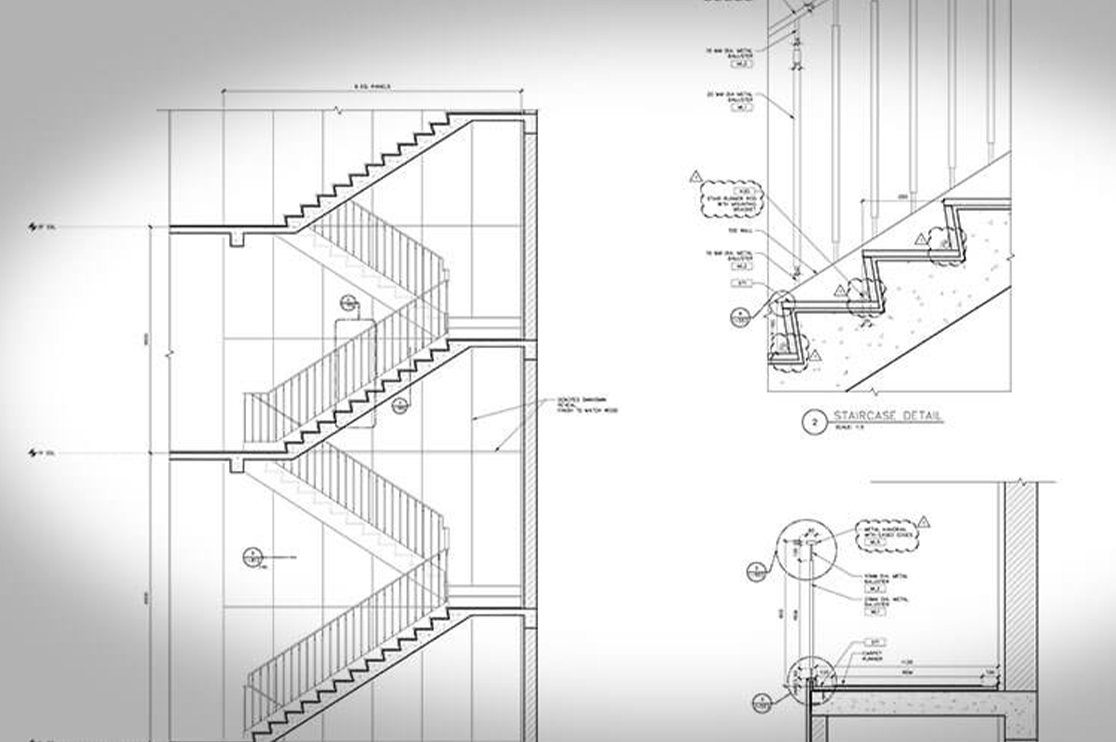
On completion of a millwork submittal these are shared with the architect or General contractor for review. The reviewers generally mark the corrections in red (the drawings are generally in black or blue) to ensure these are clearly visible. These corrections made in red ink are called Redline drawings or redline markups.
These AutoCAD redline markups are then reshared with the drafter for refinement and the round continues till a final go ahead or approval is given.
Every review round adds to more detailed and closer to the design intent. The details should be as accurate like one-sixteenth of the inch and should include every required information required for fabrication.
A single mismatch, incorrect information or deviation from standards will result in receiving redline drawings.
In simple words redlines means changes highlighted by the reviewer on the draft shared.
Reasons and Solutions Why Millwork Shop Drawings Get Excessive Redlines
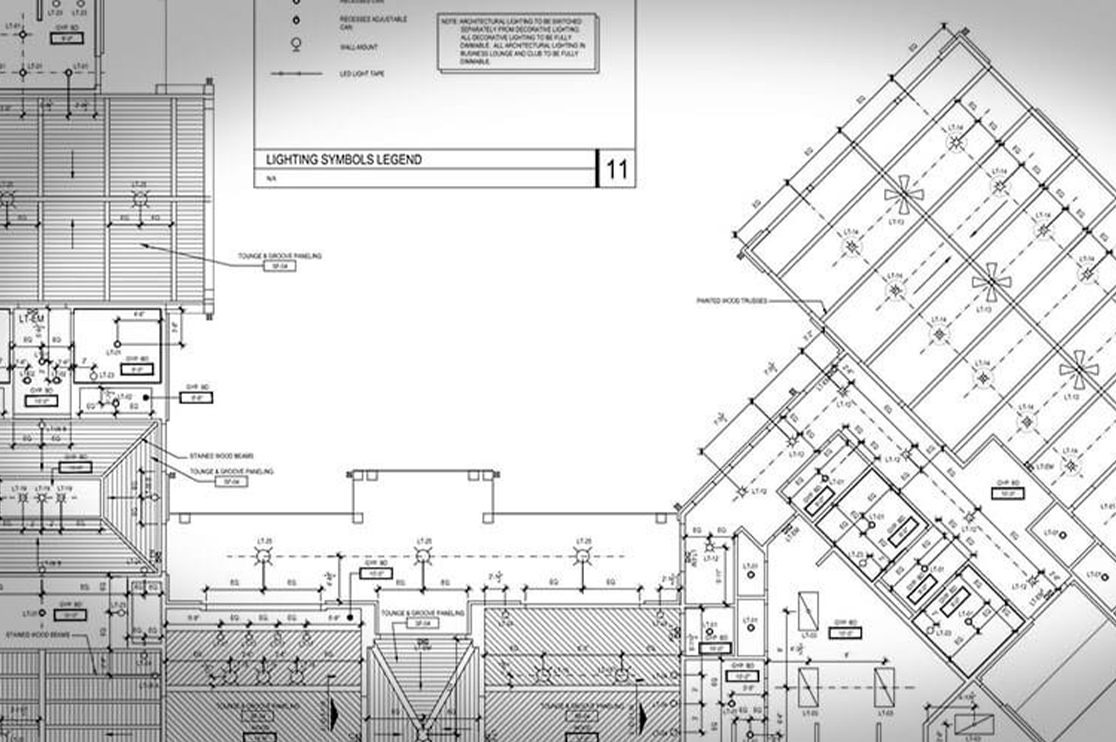
Redlines usually point to a gap between what the shop drawing shows and what the project team expects to build. The cause can range from outdated design information and missing dimensions to coordination issues, scope changes, or weak quality control.
Here are some common causes of redline drawings and practical ways to reduce them.
Drafting From an Old or Outdated Design Set
Millwork shop drawings prepared using an earlier architectural set even after layouts, dimensions, materials, or finishes have changed. Also, approved RFIs and field changes can get missed when they remain in emails, meeting notes/chats or just verbal instructions.
The reviewer then redlines the drawing because it reflects old information. This leads to rework, resubmission and fabrication delays. Weak revision tracking can also make it difficult to identify what changed between submissions.
The Solution:
-
Confirm the latest architectural set, addenda, bulletins, and revision dates before drafting. Recheck the drawing set before every resubmission.
-
Maintain an RFI and field change log and link approved changes to the relevant sheets. Update affected drawings after every approved change.
-
Use consistent title blocks, revision dates, revision descriptions, clouds, and delta tags so reviewers can immediately identify what changed.
Incomplete or Missing Information
Missing dimensions, sections, construction details, hardware, materials, or finish information leave questions for the reviewer and fabrication team. These gaps generate redline markup and additional review cycles.
The Solution:
Check every submittal for complete dimensions, critical sections, construction details, hardware, material and finish information. Hardware and finish schedules should align with the project specifications.
Scope Creep and Incomplete Project Briefing
Requirements can change after drafting begins or initial briefing may leave important project requirements unclear. What happens is that, new cabinet types, materials, hardware, finishes, or detailing requirements can then conflict with the submitted drawings.
The Solution:
Capture the approved scope before drafting begins and document subsequent changes through a controlled process. Update affected drawings, schedules and specifications together before submitting.
Miscommunication and Coordination Issues Between Teams
Millwork must coordinate with architectural, electrical, plumbing, HVAC, structural and other trades.
Conflicting information can create clashes such as cabinets covering outlets, interfering with HVAC or failing to fit actual site conditions resulting in redline markups.
The Solution:
-
Coordinate against the latest architectural and consultant drawings.
-
Use field verified dimensions where applicable and resolve trade clashes before submission.
Poor Quality Control Processes
The plan shows a 36-inch cabinet while the elevation shows 34-inches. The inconsistency reaches the reviewer and results in a redline markup asking the shop to clarify the correct dimension.
Such simple errors such as inconsistent dimensions, missing callouts, incorrect hardware references, or mismatched plans and elevations can reach the reviewer when drawings lack an effective internal check.
These millwork shop drawing errors create avoidable redlines.
The Solution:
Introduce an internal QC review before submission. Check dimensions, elevations, sections, schedules, hardware, finishes, revision information, and coordination against the latest project documents.
At BluEnt, we follow three-level QC process where each custom millwork drawing sheet is individually reviewed by self, peer and senior level to ensure flawlessness.
Lack of Standardized Drafting
Different drafters may use different templates, naming conventions, detailing methods or checking procedures. This creates inconsistent drawings and recurring millwork drawing mistakes, increasing the chances of reviewer comments.
The Solution:
Standardize templates, title blocks, naming conventions, detailing standards, checklists, and review procedures across projects have proven to be significantly reduce redline markups.
If your internal team is unable to bear the timeline due to deadline or volume requirements, it’s better either to outsource to a millwork drafting company or hire a white label partner for your needs.
Fabrication and Constructability Issues
In our experience we have seen that a drawing can match the design intent yet still create problems during fabrication or installation. Issues such as impractical joinery, insufficient clearances, incorrect material thickness, difficult hardware placement or limited installation access can trigger redlines.
The Solution:
Review drawings from a fabrication and installation perspective before submission.
Make sure to check for standards followed such as AWI for USA, AWMAC for Canada and BS EN for UK.
Verify constructability, clearances, joinery, hardware placement, material thickness, and site installation requirements.
Outdated Technology and Manual Workflows
Heavy reliance on manual drafting and outdated CAD workflows can make revisions slower and increase inconsistencies between related drawings. A change made on one sheet may be missed on another. Thus, resulting in a redline drawing during review.
The Solution:
Use current CAD and digital documentation workflows. Standardized blocks, reusable details, linked information, and digital review tools can reduce repetitive manual updates and revision errors.
Best Practices to Reduce Redline Drawings for Millwork Shop Drawings

Redlines cannot always be eliminated. The goal is to:
-
reduce avoidable comments
-
shorten revision cycles
-
move approved drawings to fabrication faster
With our extensive experience as one of the USA’s best millwork drafters, these practices can help millwork shops improve first pass accuracy and reduce revision delays.
Try to Get the Submittals as close to Accuracy in the First Draft
The more complete and accurate the information available during the initial drafting stage, fewer avoidable RFIs and revisions are likely to arise later.
Follow these three rules:
-
Draft according to recognized industry standards such as AWI and AWMAC, along with the project’s specific requirements.
-
Coordinate with the latest architectural set, approved RFIs and field verified conditions.
-
Perform an internal QC review before submitting the drawings.
Spending additional time during the initial review can save several rounds of rework later.
Invest In Technology
Modern CAD and digital review workflows can make it easier to manage revisions as well as coordinate information and maintain consistency across drawing sheets.
Use standardized CAD templates, reusable details, digital markup tools and revision tracking systems where appropriate. These tools can reduce repetitive manual work and help prevent a change made on one drawing from being missed on another.
Aim for a Faster Turnaround for Redline Drawings
Once redlines arrive, a structured and timely response can prevent a small revision from becoming a schedule delay.
Review all comments together, identify related changes across the drawing package and update the affected sheets before resubmission.
Create a checklist covering reviewer comments, dimensions, coordination, hardware, finishes, revision clouds, title blocks, and related sheets. Assign responsibility for each comment and verify that every item has been addressed before resubmission.
This reduces repeated comments and helps avoid another round of redline markup for an issue that was already identified.
Treating redline revisions as a priority helps keep approvals moving and gives fabrication teams a clearer path to production.
Partnering with a Drafting Partner in Busy or Heavy Volume Periods
Keeping your best drafters busy in resolving redlines during peak season will reduce your productivity and efficiency both. You’ll not be able to take up new projects will not be able to deliver existing ones on time. Hitting finances directly.
What’s the solution?
-
Outsource to a professional millwork drafting company that can provide additional drafting capacity when workloads increase.
-
Hire Teams on demand basis that works as an extension of your in-house team
For millwork shops, this approach can be especially useful when several projects reach the approval and revision stage at the same time.
Recommended Reads:
Conclusion
Redline drawings are a natural part of the millwork submittal process. However, multiple revision cycles can quickly affect a millwork shop’s schedule, productivity, and bottom line.
Rework – More waiting time – Idle fabrication teams – Loss of productivity + efficiency + revenue
The best way to reduce this impact is to improve first pass accuracy, coordinate drawings carefully, maintain strong revision control and resolve redlines quickly.
BluEnt is a trusted millwork drafting service provider with an established presence across North America, the UK, Europe, Australia, and the UAE. With a team of 150+ drafters, we have delivered approximately 8,000 projects to date and continue to support leading millwork shops with their drafting requirements.
Our millwork drafting services teams combine detailed shop drawing expertise with a strong understanding of carpentry and fabrication workflows. From initial submittals to revisions and redline drawings, we help millwork shops keep documentation moving so their fabrication teams can get to work faster.
When redlines are handled with the right process, they become a manageable part of the approval cycle rather than a recurring source of schedule and cost pressure.
Ready to Reduce Redlines and Revision Cycles?
Schedule a meeting with our millwork drafting specialists to discuss your project requirements and discover how accurate shop drawings and coordinated drafting support can keep approvals moving and fabrication on schedule.
Frequently Asked Questions
What do You mean by redlines in millwork shop drawings?Redline drawings are markups that includes changes, corrections, and questions highlighted by the reviewer (GC or architect) on the millwork submittals in red ink. The drafter needs to work on them again and reshare for approval. The revision cycle continues till approval is granted.
What happens if Redlines are not resolved on millwork drawings?If the millwork shop drawing errors remain unresolved, it will lead to a dangerous disconnect between the design intent and the final product. Thus, resulting on rework which significantly delays the schedules.
Why do millwork shop drawings get redlined?Common reasons for millwork shop drawings mistakes include detailing from outdated design sets, missing dimensions or specifications, unlogged RFIs and field changes, trade coordination issues, and errors that pass through internal QC process.
Who makes the redline drawings for millwork shop drawings?It’s generally the GC or the architect who reviews the millwork submittals and mark the corrections in red ink so that they get highlighted. These are shared with the drafter or the fabricator to analyze, revise and then resubmit for approval cycle again.
How can millwork shops reduce redline markups?Millwork shops can reduce avoidable redlines by working from the latest project information, verifying field conditions, coordinating with other trades, following applicable industry standards, completing internal QC, and maintaining clear revision tracking.
What is the difference between redline and as built drawings?Redline drawings in millwork shop drawings show corrections, changes or comments made during the review or construction process. As built drawings document the final installed condition of the project, including changes made in the field. Redlines can serve as a source of information when preparing final as built documentation.
How many redline revisions does BluEnt include?BluEnt includes two rounds of redline revisions as part of the agreed scope of work. Additional revisions can be handled based on project requirements and scope. For more details visit our website.
Does BluEnt offer white label millwork drafting services?Yes, BluEnt offers white label millwork drafting support, allowing millwork shops and other businesses to use BluEnt’s drafting team as an extension of their own operation. Engagement can be structured around project based, hourly, or dedicated team requirements.







 Hospital Millwork Submittals: 7 Reasons they Keep Coming Back
  Millwork BIM Coordination Done Right: IFC Workflows for LOD 350 vs LOD 400 & Production Readiness
  How CNC Ready Shop Drawings Protect Margins in Commercial Millwork Operations
  7 Big Reasons Restaurant Chains Invest in Professional Millwork Drafting Services