



Quick Summary
AI 3D rendering gives you speed. It does not give you the deliverable. Clients still want realism, accurate proportions, precise camera angles, and a consistent look across every image in a set. So, the real question is not whether AI should replace a rendering studio. It’s how a studio should use AI without losing the judgment that makes a render usable. Full automation sounds efficient on paper. In practice, it shifts the risk back onto you, the architect, developer, or builder who has to defend that image later.
AI Is Everywhere in AEC Right Now, and It’s Moving Fast
The AEC industry doesn’t change slowly anymore. It used to.
Then came BIM, then laser scanning, then AR and VR walkthroughs. Now it’s AI, and this one is spreading faster than the rest combined.
We have seen many enquiries where clients show up with AI-generated concept images and ask why the “real” render costs so much more.
Well, it’s a fair question, but it’s also the wrong comparison.
An AI image is a starting point. A production render is a finished, checked, revision-ready deliverable tied to actual drawings. Those are two different products, even when they look similar on a screen.
And that’s exactly where you’re stuck right now, isn’t it? Partnering with a 3D rendering studio gives you production and marketing-ready rendering assets, but it follows a slower, exploratory workflow. Go full AI, and you get impressive speed and ideation on a budget, but accuracy and consistency are compromised.
So, can you really replace your 3D rendering studio with AI alone? Read on to understand what you gain, what you give up and which approach makes sense for your project.
Table of Contents:
- Why Full AI Automation for 3D Rendering Looks So Tempting
- The Pros : How Full AI 3D Automation Helps You in Architectural Rendering?
- The Cons of AI-Only Rendering Workflow
- Replacing 3D Studio with “Full AI” Workflow – Do it or Not
- The Hybrid Approach- Accuracy Blended with Speed
- BluEnt’s Approach to AI Assisted Rendering Workflows
- Final Words
- FAQ
Why Full AI Automation for 3D Rendering Looks So Tempting
The global architecture 3D rendering market is projected to grow from $917.6 million in 2025 to $3.9 billion by 2033, a CAGR of 20.2%. (Source: Grand View Research) The demand is real, but the supply of experienced 3D artists isn’t keeping pace. So, it’s no surprise that stake-owners prefer shifting to Full AI 3D rendering automation rather than partnering or investing with 3D rendering companies. Here’re the key drivers:
-
Fewer people are entering the AEC workforce, so firms are leaning on AI to fill the gap
-
Delays are a real cost. A large share of projects run behind schedule, and anything that promises to compress timelines gets attention fast
-
AI cuts cost and time on the front end of a project, at least on paper
-
It automates the boring parts of the process: variations, quick studies, first-pass visuals
None of that is wrong. It’s also not the whole story.
The Pros : How Full AI 3D Automation Helps You in Architectural Rendering?
Let’s give credit where it’s due. AI has earned a place in the rendering workflow, and pretending otherwise would be dishonest.
It speeds up ideation. A designer can generate five lighting moods or material combinations before lunch instead of over two days.
Texturing and asset upscaling is indeed done in seconds! Taking a rough surface and making it presentation-ready faster than a manual pass would.
Quick sky swaps, background cleanup and other post-production support along with early client-facing mood boards that were never meant to be final anyway.
Full AI 3D rendering workflows simply nail turnaround time, exploration and prototyping.
What this means for stakeholders:
-
AI-generated visuals help you point at a direction you couldn’t quite describe in words, or one you had no reference for
-
You get more design options to try and experiment with before locking in a final direction (feasibility still needs a studio to confirm)
-
More visuals, delivered faster, without the cost climbing with every extra option
-
Clients walk into the next meeting already knowing what they want, instead of guessing
Elevate Commercial Designs with 3D Rendering
BluEntCAD delivers realistic commercial renderings, architectural visualization, and detailed interior and exterior views to communicate design intent and support project presentations.

Download Brochure
Share a few details to access the commercial rendering brochure and learn more about our solutions.
Commercial Bim Brochure
The Cons of AI-Only Rendering Workflow

Till the goal is to get a beautiful image, AI 3D renders are remarkable. But, when it comes to fit in with the real space, the scenario changes.
We’ve seen this pattern many times. A commercial developer in the USA was building a 300,000 square foot shopping mall, three floors, an anchor store, a food court, and a central atrium. They brought AI-generated renders using DIY apps or Gen-AI models to the table before the CAD drawings are checked.
The images look polished at first glance. But when 3D experts check them against the actual CAD documentation, the real problems begin to show up:
-
Floor Plan Mismatch – The AI missed this entirely. The escalator is sitting where a support column should be and the atrium looks wider than the site allows.
-
Inaccurate Proportions – The ceiling height looks cinematic but it’s nowhere close to what structural clearance actually permits. Walkthroughs and animations need geometry that behaves consistently frame to frame, and that’s still a gap for AI-only workflows.
-
Realism of Materials – The flooring in the render looks like polished marble. What’s actually specified is a porcelain tile with a completely different finish. Fine for a mood board, not fine for a leasing brochure that has to match what tenants will walk into.
-
Manufacturing/Site Feasibility – That dramatic cantilevered skylight was loved by everyone but whether it’s structurally or financially feasible for this site was never part of the conversation. AI doesn’t know what a contractor knows.
-
Brand Inconsistency – And the next twenty images don’t match. The food court render comes back with a different lighting mood. The parking structure looks like it belongs to another building entirely.
-
For a single hero shot, nobody notices. Across a forty-image marketing campaign, the inconsistency is impossible to miss. And it starts to look like sloppy work rather than a design choice.
-
Wrong Camera Positioning – AI can approximate a requested viewpoint, while maintaining an exact camera position across multiple views requires a controlled 3D scene.
-
That one small change – “Move the escalator here”. “Widen this walkway by four feet.” “Swap this signage.” With a rendering studio, that’s a revision. But with AI alone, it’s often a full regeneration, and there’s no guarantee the new version keeps anything else consistent with what came before.
-
Multi-angle Scalability – The atrium looks great from this one viewpoint. Try to generate the same space from six different angles for a full walkthrough, and the geometry starts contradicting itself. Walls shift. Proportions change. It stops being one building. The investor and pre-sale trust doesn’t build.
Apart from this, two of the biggest things AI lacks are documentation and hidden implementation costs.
While working on a bigger project such as a shopping mall, the project owners demand everything to be documented and version controlled along with proper notes.
Like what we do at BluEnt is, we follow a strict version control and well documented project briefings for any phase review. So, our clients get a structured workflow.
Every premium 3D AI rendering software or app comes with a cost. The tokens get exhausted soon even while editing a small change.
None of the problems mentioned above means AI is bad. It means AI alone isn’t a studio replacement, it’s a different tool solving a different problem.
Replacing 3D Studio with “Full AI” Workflow – Do it or Not
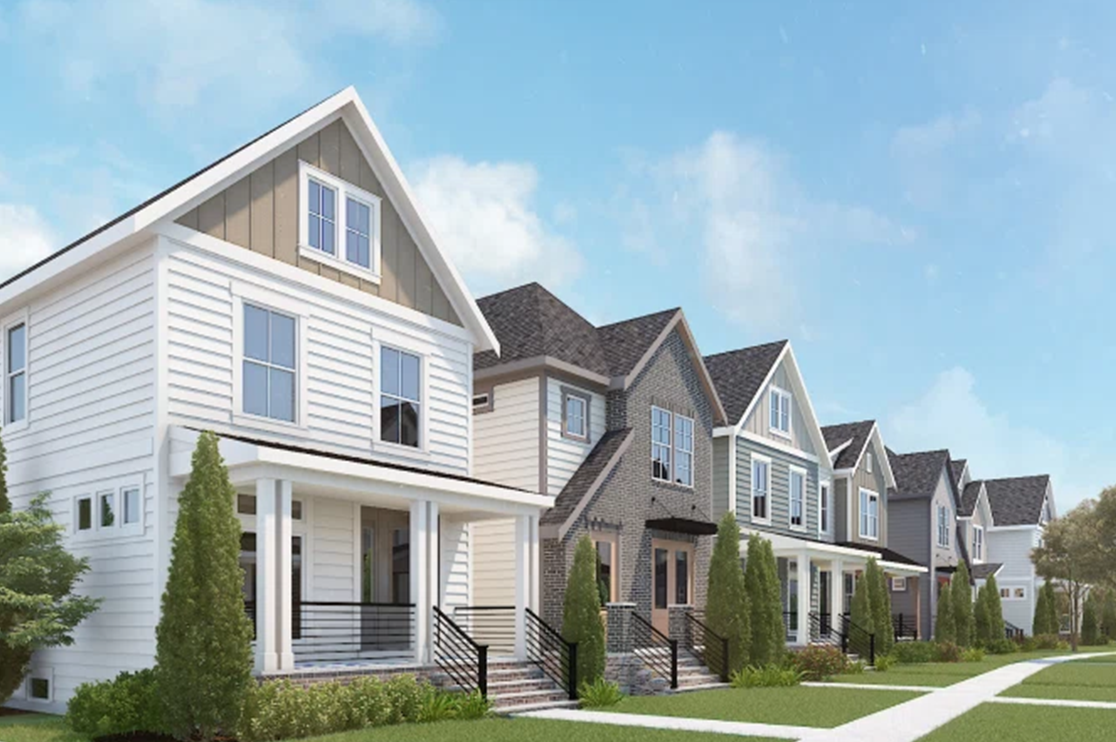
Because professional architectural visualization was never just about producing an image. It’s about producing the right image, one that holds up under scrutiny.
Investors reviewing a pre-sales deck need consistency from the lobby render to the rooftop view. A product brand needs the cabinet finish in the image to match what actually ships.
An architect presenting to a planning board needs dimensions that survive a second look. None of that is negotiable, and none of it is something AI can currently guarantee on its own.
Engineering logic, spatial reasoning and final production control still come from human expertise. AI can suggest. It can accelerate. It cannot take responsibility for whether the image is accurate, and someone has to.
When the budgets are big, the stakes get bigger too. Investors, buyers, tenants, they’re all putting real money behind what they see in that render. And more people can now spot the difference between an AI-generated image and one that came out of a professional studio, whether that’s from the polish, the consistency, or just a gut feeling that something’s slightly off.
So, the honest answer? Not entirely, not when the stakes are this high!
The Hybrid Approach- Accuracy Blended with Speed
It’s not about those pretty pictures that are admirable, but the accurate renders that stand trustworthy and win stakeholder confidence!
A rendering studio with AI-assisted rendering workflows gets the best of both worlds. Faster concepting. More options on the table earlier. Less time spent on repetitive tasks like texture cleanup or background work.
The workflow is no longer clients sending drawings and studios performing the visualization. Roles have changed. Now a 3D rendering studio ensures:
-
The deliverables match the briefing and the floor plan
-
All drawings are consistent
-
The materials are real/believable and match the design intent
-
Perfect lighting, shadows and camera angles
-
QA/QC checks that make sure the final deliverable supports the right decisions
The question was never 3D rendering studios versus AI automation.
It’s about understanding which parts AI can take on and which still need human judgment. That’s the difference between a fast image and a trustworthy one.
Here’s how the three approaches actually compare:
| Workflow | Main strength | Main challenge |
|---|---|---|
| AI Workflow | Speed/ ideation/ testing variations | Control, accuracy and consistency |
| Traditional studio | Accuracy and control | Slower exploratory workflow |
| AI assisted studio | Speed + professional control | Requires the right workflow |
BluEnt’s Approach to AI Assisted Rendering Workflows
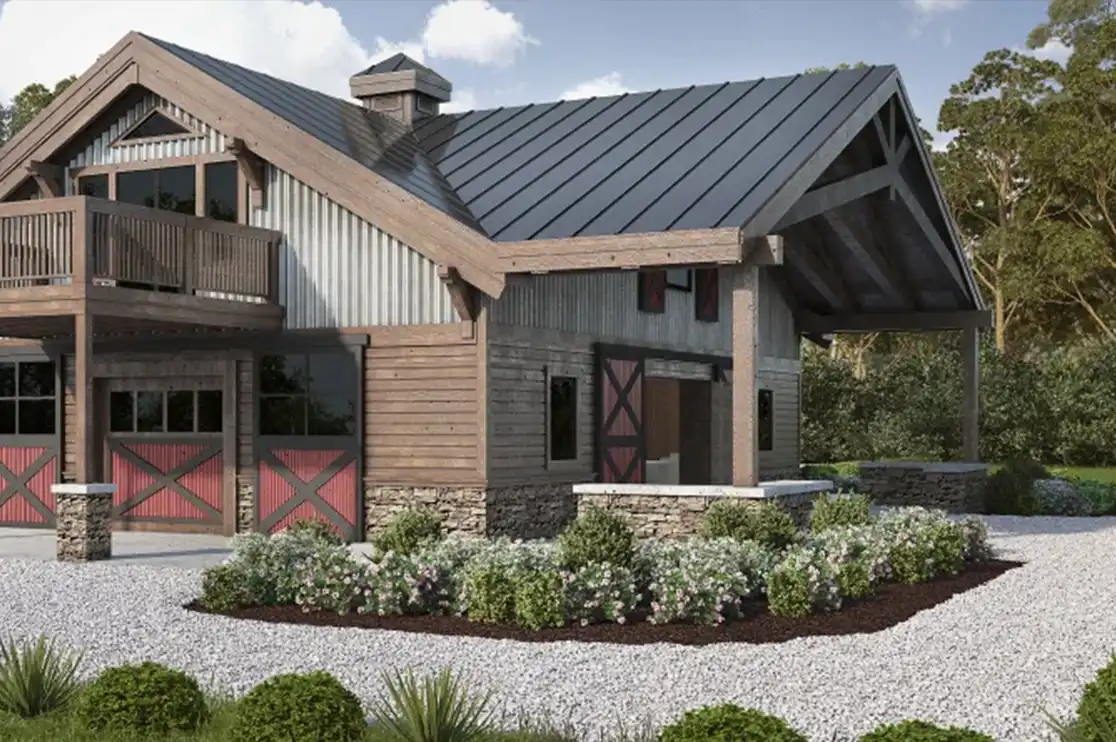
At BluEnt, we take AI as a part of the 3D rendering toolkit and not the whole workflow.
Our expert 3D artists have been using it and have been delivering realistic and polished renders at quicker turnaround times without losing precision.
We use it where it genuinely speeds things up:
-
early concept variations
-
studying materials
-
quick visual references for a client conversation
-
basic and quick post-production changes
The modeling, the accuracy checks, the revision process and the final sign-off still run through experienced hands.
AI is already reshaping how 3D rendering gets done across architecture and design, and we’d rather be honest about that than pretend it isn’t happening. But 3D craftsmanship, technical skill, and creative decision-making are still the foundation. AI just gives that foundation a faster starting point.
Recommended Reads:
Final Words
In simple words, going fully AI-automated for product visualization or architectural rendering depends on your stakes and the value that image adds.
If the stakes are low and there are no strict permit-level or regulatory commitments, replace 3D rendering studio with Full AI workflow. But, if stakes are high such as in commercial, residential and real-estate projects, replacing your studio with AI alone will likely hurt the outcome more than help it.
For an architectural 3D rendering service, it was never just about the “pretty images.” It’s about accurate, believable images that correctly showcase the design intent and spatial reality.
BluEnt, a leading 3D rendering studio, brings together experienced 3D artists and the right tools, including AI-assisted workflows, built for what modern rendering actually needs: speed and accuracy, together. Our team’s real strength shows up in design communication, deep technical detailing and a decisive visual strategy.
Frequently Asked Questions
Can AI completely replace a 3D rendering studio for architectural projects?Not for projects where accuracy matters, permits, investor decks, pre-sales campaigns, or anything tied to real dimensions and materials. AI is excellent for early concepts and mood boards, but it can’t guarantee your render matches your actual floor plan, structural constraints, or specified materials. For those, a studio with a hybrid AI workflow still delivers more reliable results.
Is AI rendering cheaper than hiring a professional rendering studio?Often yes, on the surface. AI tools cost less per image and deliver faster. But that math changes once you factor in revisions, the risk of inaccurate output derailing approvals or sales, and the time spent prompting and regenerating images that a trained team would get right the first time. For small, low-stakes visuals, AI alone can be cost-effective. For high-budget projects, the hidden cost of getting it wrong usually outweighs the upfront savings.
Should I use AI or a rendering studio for my next project?It depends on the stage and stakes. Use AI for quick concept exploration, mood boards, or early client conversations. Bring in a studio when the deliverable needs to hold up under scrutiny, matching floor plans, consistent camera angles across a full image set, or realistic materials that match what’s actually being built or sold. Most studios today, including BluEnt, blend both, using AI to speed up the early stages while keeping human oversight on anything that needs to be accurate.





 Warehouse Rendering for Logistics Facilities: Visualize Industrial Architecture Before You Build
  Skyscraper Rendering: 5 Best Visualization Angles That Sell a High-Rise Before It’s Built
  Built to Rent Rendering: How 3D Rendering Helps Accelerate Pre-Leasing for BTR Communities
  3D Commercial Rendering Tips: How to Reduce Stakeholder Rejections (By Experts)